
Version 2019.1 Nastran InCAD
Version 2019.1 Nastran InCAD
Pour disposer de cette version, il suffit de s’inscrire sur de logger sur son compte client : http://manage.autodesk.com/
Voici la liste non exhaustive des nouvelles fonctionnalités de incluses dans cette version.
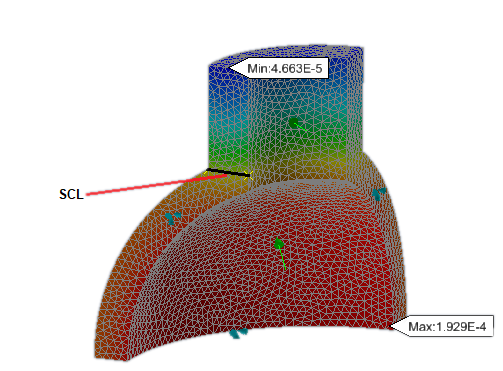
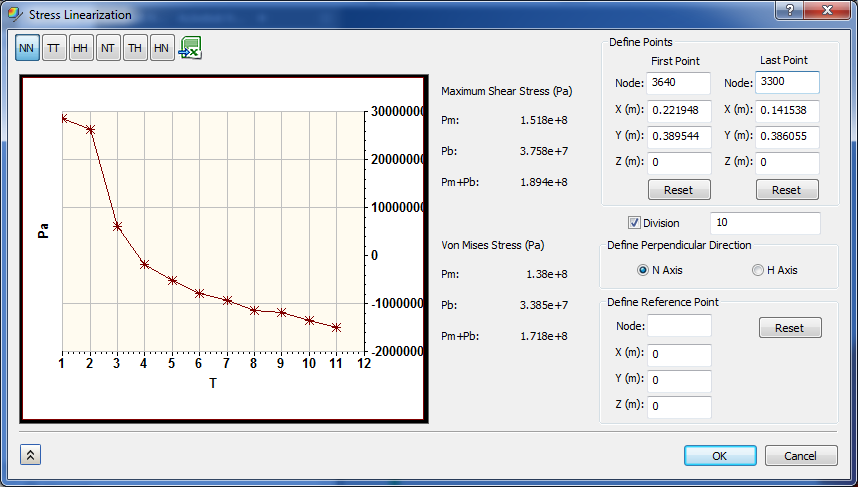
Stress Linearization
This utility graphs specified stress tensors along a Stress Classification Line (SCL) that you define. The stress tensor directions are based on a local coordinate system dictated by the two endpoints of the SCL and a third point that you specify. In addition, the Stress Linearization utility determines the primary membrane stress (Pm) and primary bending stress (Pb) that comprise the total stress (Pm + Pb).
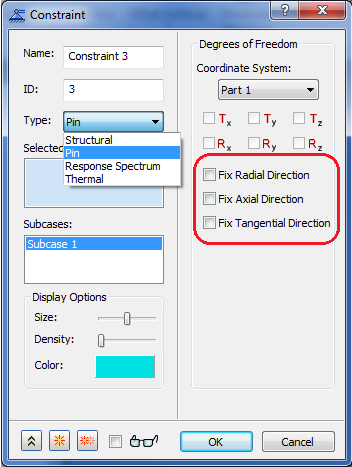
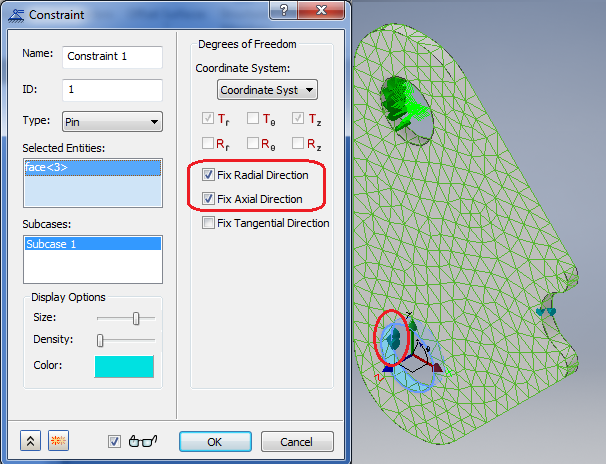
Pin Constraints
Apply surface pin constraints to cylindrical surfaces to prevent the surfaces from moving or deforming in combinations of radial, axial, or tangential directions.
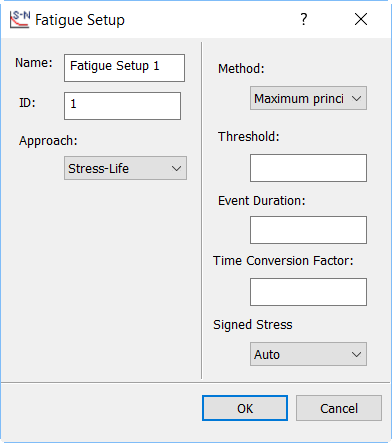
Signed Stress Option for Multiaxial Fatigue
The Signed Stress option specifies whether the stress/strain used in the life calculation method in Multiaxial Fatigue analysis should be signed. When set to Yes, the sign of the invariant is determined based on the principal stress/strain. When set to No or Auto, the invariant stress/strain is always positive.
Toute l’équipe d’Aplicit se tient à votre disposition pour vous apporter ses conseils quant à cette solution globale.